How to Login to Chattrik

Logging into your Chattrik account is quick and easy. Follow these steps to access your dashboard and start engaging with visitors.

Logging into Chattrik is fast and user-friendly. This guide explains how to access the login page, enter your registered email address, and type in your password to reach your account dashboard. It also provides helpful tips for avoiding common mistakes, such as typing errors or using an incorrect email. With this step-by-step support, you’ll always have smooth access to your Chattrik account, whether for work or trial use.

Step 1: Go to the Login Page
  • Visit Chattrik.com.
  • Click on the "Login"button in the top-right corner of the homepage.
  • You will be redirected to the login screen.
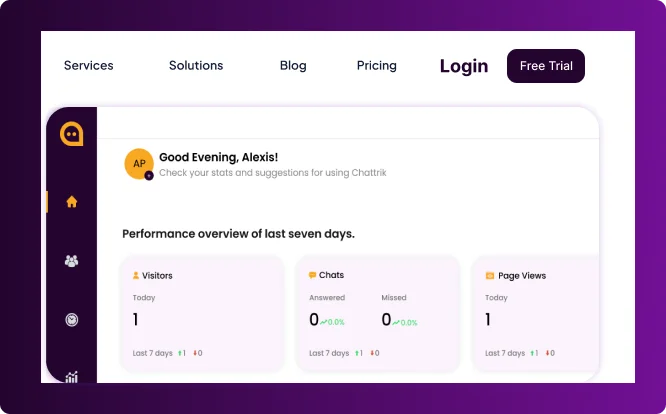
A partial view of the Chattrik user interface showing visitor and chat stats blocks.
Step 2: Enter Your Credentials

Type in your registered email address.
Enter the password you created during sign-up.
Click on the Loginbutton to proceed.
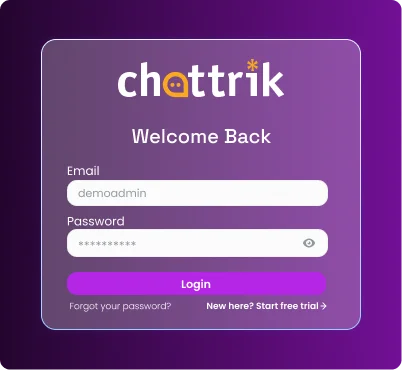
The Chattrik login window with input fields for email and password.
Step 3: Access the Dashboard
  • Once logged in, you will be redirected to your dashboard.
  • Click on Go to your Chattrik interface on the top right corner
  • You will be redirected to the Chattrik Interface page.
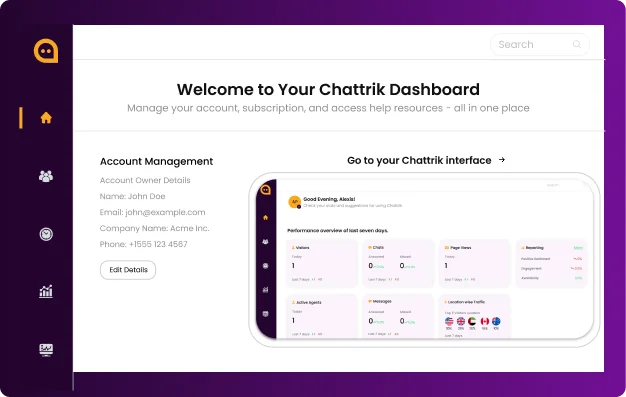
The main 'Welcome to Your Chattrik Dashboard' landing page displaying account owner details.
Step 4: Chattrik Interface

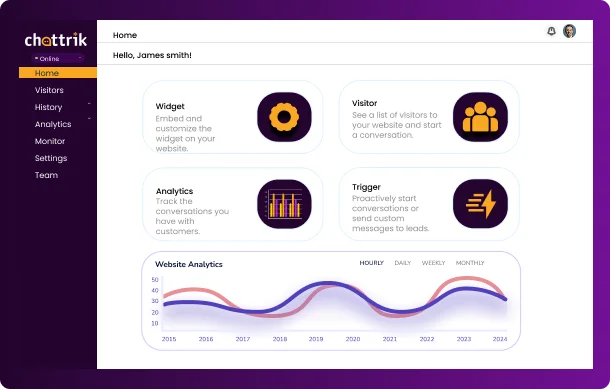
From here, you can:

  • Monitor real-time visitors
  • Manage chat requests
  • Access analytics and reports
  • Customize settings
The home view of the Chattrik interface displaying core metric cards and a website analytics line chart.
Frequently Asked Questions

Have questions? We’ve got answers. Here are the most common things people ask about Chattrik.

Go to Chattrik.com and click the “Login”button at the top-right corner of the homepage.

You’ll need your registered email address and the password you created during sign-up.

Click the “Forgot Password?” link on the login page, enter your registered email, and follow the steps to reset it.

This usually happens if your email or password is typed incorrectly. Double-check your details or reset your password if needed.

Yes, you can log in to Chattrik from different devices, but for security, always log out from public or shared computers.
WhatsApp Chat