Control Your Chat with Trusted Domains

Ensure your live chat appears only on the websites you trust. With Chattrik’s Trusted Domains feature, you control where your widget runs—preventing unauthorized embeds and keeping conversations secure, private, and fully protected.

Define Trusted Spaces for Your Chat Widget

The Allowed Domains feature gives you full authority over where your Chattrik chat can be used. By specifying your trusted websites, you eliminate the risk of your chat appearing on unauthorized or cloned domains - keeping your brand and customer conversations safe.

Easily register up to five domains that are permitted to use your Chattrik chat widget

Choose which websites can host your widget to prevent unauthorized usage and keep your customer conversations fully protected.

Ensure your chat never appears on cloned, fake, or suspicious domains by allowing access only to verified, trusted sites.

By limiting your chat to approved domains, you safeguard your brand experience and ensure customers always engage in a secure environment.
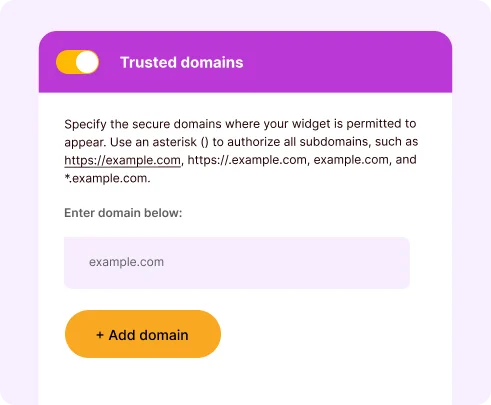
A configuration panel titled Trusted Domains showing a domain input field and an orange Add Domain button.

Trusted by 500+ companies to keep chat access limited to safe, verified domains.

Why Allowed Domains Matter for Your Business

This feature safeguards your communication channel, giving you peace of mind that your Chattrik chat stays exclusive to your brand. With flexible control, automated validation, and layered protection, it’s built to enhance both trust and efficiency.

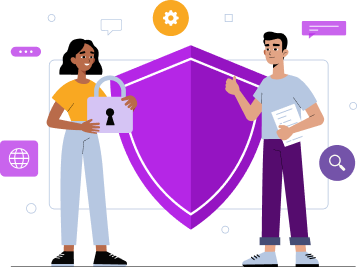
An illustration of a man and a woman holding a padlock next to a large purple security shield.

Protects Brand Integrity

Prevents others from using your chat widget on fake or competitor sites.

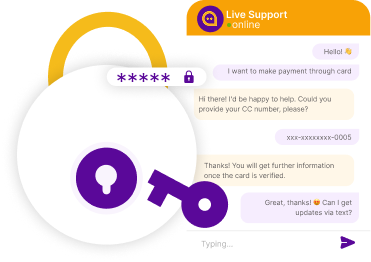
A live support chat interface depicting data encryption with a prominent padlock and key graphic masking sensitive text.

Enhances Security

Blocks unauthorized embedding, keeping customer data safe.

An illustration of a businessman climbing a staircase made of interlocking gears representing business growth, strategy, and efficiency.

Simplifies Management

Control all your trusted domains from one intuitive dashboard.

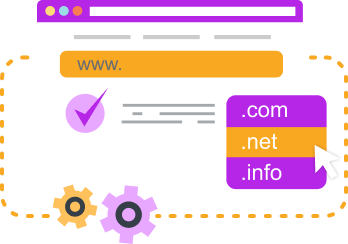
A web browser graphic illustrating domain name extensions with dropdown options for .com, .net, and .info.

Auto Subdomain Authorization

Save time with automatic trust inheritance for subdomains.

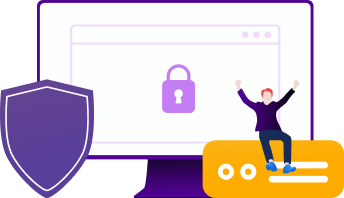
An illustration of a computer monitor with a lock icon, a security shield, and a person celebrating on a server widget.

Real-Time Protection

Instantly restricts any unlisted domains trying to load your chat.

An illustration of two people signing an electronic signature document on a digital tablet with a padlock security icon.

Custom Access Rules

Flexibly manage domains and subdomains with smart permissions.

An illustration of a specialist presenting a five-star user review list and positive customer feedback symbols.

Improves Customer Trust

Clients feel secure knowing they’re chatting through your official site only.

An illustration of a technical team repairing a website 404 error page wrapped in caution tape.

Zero Maintenance Hassle

Once domains are added, the system handles validation automatically.

Trusted by Teams Who Prioritize Security

See how businesses use Trusted Domains to protect their brand, block unauthorized embeds, and deliver safer customer interactions.

Daniel Brooks Customer
Daniel Brooks

Head of Product, WaveSquare

“We cut fake traffic by 40% in the first month thanks to Chattrik’s domain restrictions.”

Marcus Reed Customer
Marcus Reed

Security Analyst, CloudZet Solutions

“Spoofed chat attempts dropped by 90% immediately after enabling Trusted Domains.”

Sophia Turner Customer
Sophia Turner

Customer Experience Director, Loopify

“Keeping chat on approved domains boosted customer trust and engagement by 25%.”

James Hart Customer
James Hart

Customer Support Lead, Nexora Tech

“Trusted Domains blocked 95% of unauthorized embeds, giving our team complete confidence in every chat.”

Emily Customer
Emily

Customer Success Lead

Our team resolved queries 29% faster once visitors submitted complete details initially.

Frequently Asked Questions

Have questions? We’ve got answers. Here are the most common things people ask about Chattrik.

Trusted Domain in Chattrik is a way for you to authorize which web pages display your Chattrik chat widget.
So that your chat widget cannot be embedded into unauthorized or cloned web sites.
You can add many trusted domains, authorized to display your Chattrik widget.
No, your Trusted domains can be add, deleted or edit when ever you require.
Trusted Domains help you protect both your company as well as your customers’ conversations.
Supported sub-domains inherit the Trusted Domain status from the root domain.
The widget won't load on unauthorized web domains.
No, managing your Trusted Domains is as easy as managing the Chattrik dashboard.
Ensure customers only interacting with your Chattrik widget when it’s being viewed from within your verified and authoritative sites.
Once added to your account, your Trusted Domains will be automatically managed.
Yes, you will need to authorize each of your web sites for Chattrik widget display.
They increase business security, help protect your brand integrity, and ensure your Chattrik widget can not be placed on sites that have been illegally or unethically cloned.

Start 30-day free trial at Chattrik

Explore premium chat features, boost support efficiency, and secure your conversations.

WhatsApp Chat