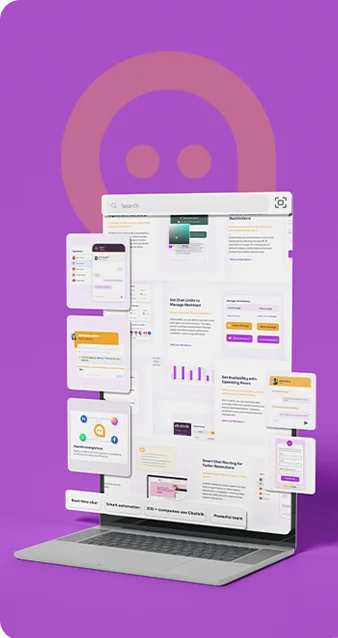
Respond Faster. Smarter. Every Time

Save time and delight your customers with pre-written responses that make every chat seamless.

What is Shortcut in Chattrik?

Shortcuts are quick-trigger text commands designed to help your team respond to frequent questions instantly and with minimal effort. By enabling agents to insert full, pre-written messages with just a few keystrokes, they dramatically speed up conversations, reduce repetitive typing, and maintain consistent, accurate communication across every interaction. With Shortcuts, your team can stay focused on resolving complex issues while keeping every exchange fast, seamless, and professionally delivered.

How It Works

Setting up Shortcuts is simple, and once they’re ready, sending them is even easier. Delight your customers by providing fast, accurate replies every time, while saving your team valuable time.

  • Create Once
  • Insert Instantly
  • Stay Consistent

Shortcuts make customer support faster, easier, and more consistent.
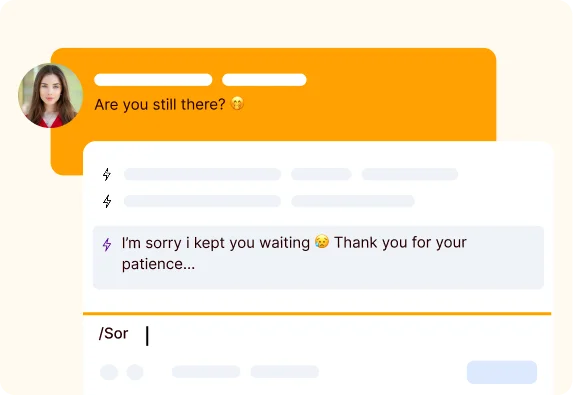
A chat screen split view showcasing quick canned responses populated by typing a keyboard command shortcut.
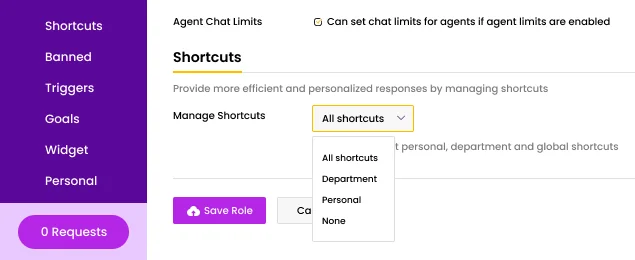
An administrative management panel featuring a dropdown menu to filter, sort, and organize agent shortcuts.

Shortcut Types and Permissions Overview

You can create up to 15,000 shortcuts in your account, grouped into three types—Personal Department, and Global. Personal shortcuts are created by agents or administrators for individual use, while Department and Global shortcuts are managed by administrators and shared across teams. Shortcut type is selected during creation and can be reassigned later based on permissions. Administrators control who can create or edit shortcuts through Chat roles, using the following permission tiers:

  • All Shortcuts: Add and edit personal, department, and global shortcuts.
  • Department: Add and edit personal and department shortcuts.
  • Personal: Add and edit personal shortcuts only.
  • None: No ability to add or edit shortcuts.

Ready to Transform Your Customer Conversations?

Start using Shortcuts today and see how effortless fast, consistent communication can be.

Why the Shortcuts Feature is Essential

Boost productivity, accuracy, and customer satisfaction with these key benefits.

Save Time Icon
Save Time

Reduce repetitive typing and respond to customers instantly.

Consistency Icon
Consistency

Deliver the same accurate answers across your team.

Boost Efficiency Icon
Boost Efficiency

Handle more chats without compromising quality.

Easy Customization Icon
Easy Customization

Personalize messages with customer names or details.

Team Collaboration Icon
Team Collaboration

Share and update responses across your support team.

Faster Onboarding Icon
Faster Onboarding

New agents get up to speed quickly with ready-made replies.

Reduce Errors Icon
Reduce Errors

Eliminate typos and misinformation in repeated messages.

Improve Customer Satisfaction Icon
Improve Customer Satisfaction

Quick, accurate replies lead to happier customers.

What Our Clients Say

Our clients love how much time and effort Shortcuts save, making every conversation faster, smoother, and more effective.

Sarah Williams Customer
Sarah Williams

Customer Support Manager

Shortcuts cut our response time in half. Customers are happier, and our team feels more efficient.

James Cameron Customer
James Cameron

Service Excellence Manager

The consistency this feature brings is unmatched. No more missed details or errors.

David Clark Customer
David Clark

Product Support Supervisor

We handle more chats without increasing staff. Truly a productivity booster!

Emilia Clark Customer
Emilia Clark

Operations Analyst

Onboarding new support agents became a breeze thanks to ready-made responses.

Emily Sanders Customer
Emily Sanders

Head of Customer Care

Quick, accurate replies make our support team shine. Our customers notice the difference.

Frequently Asked Questions

Have questions? We’ve got answers. Here are the most common things people ask about Chattrik.

Shortcuts in Chattrik are canned replies, so the agents can respond to common customer queries instantly.
Shortcuts save agent's time as they can reply to the customer by just sending frequently used replies and resolve the customer query instantly.
Yes, you can create your shortcut as per your need.
Yes, you can use shortcuts across your team.
Yes, Shortcuts helps the agents provide consistent replies to all the customers.
Yes, you can edit or remove your shortcut at any time.
Yes, sales teams can also benefit by quickly replying to all the frequently asked product or price queries.
Yes, the agents can customize the reply by adding personalized information in it before sending it.
Yes, the agents can respond faster to those customers who repeatedly ask similar questions.
You can easily manage your Shortcuts in Chattrik Dashboard. You can easily create shortcuts, edit them or remove them.
Yes, you can group shortcuts and organize it.
Shortcut helps in improving productivity, provides the ability to maintain consistency in the responses and enhance the speed of responding to the customers.

Stay in the Loop with Chattrik

Get product updates, feature launches, and exclusive offers straight to your inbox.

WhatsApp Chat