Stay Alert, Stay Ahead

Never miss a message or visitor update with real-time sounds & smart notifications designed to keep your team instantly responsive.

What Are Sounds & Notifications?

Sounds and notifications ensure your team always stays informed about new messages, visitor activities, and system updates. With customizable alerts and smart triggers, you can maintain fast response times, streamline collaboration, and deliver a seamless support experience without missing a moment.

How It Works

Simple to set up. Easy to control. Always informed.

  • Enable alerts for new chats, messages, and visitor events
  • Customize sound tones and choose your notification preferences
  • Get desktop and browser alerts even when the tab is not active

Activate your preferred alerts and stay connected to every conversation in real time.
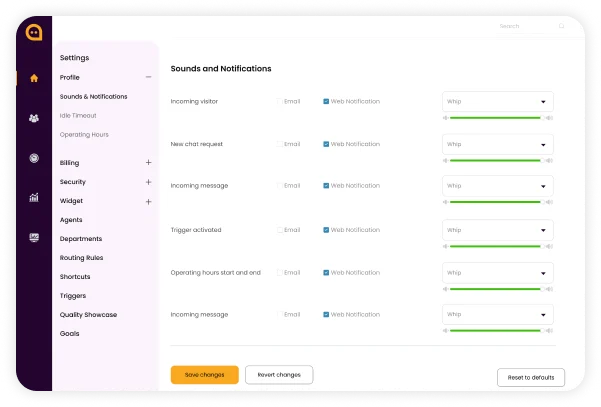
A Sounds and Notifications dashboard panel featuring alert type checkboxes, audio sound pickers, and volume sliders.

Enable smart sounds & notifications to boost your response times and keep conversations moving effortlessly.

Advantages That Keep You in Control

Sounds & notifications ensure you never miss critical activity, helping your team maintain speed, consistency, and operational awareness at all times.

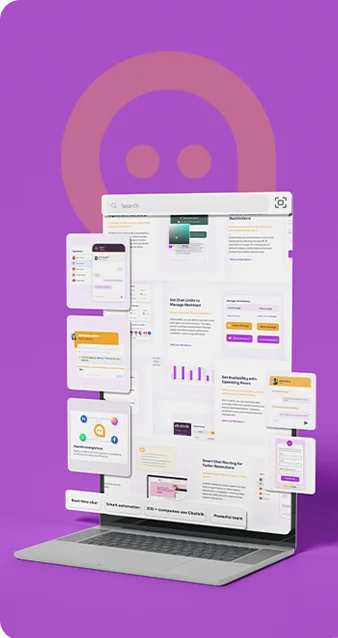
An illustration of an office professional working on a laptop surrounded by incoming chat bubble notifications.

Instant Awareness

Know the moment a visitor sends a message or joins your site, enabling faster engagement.

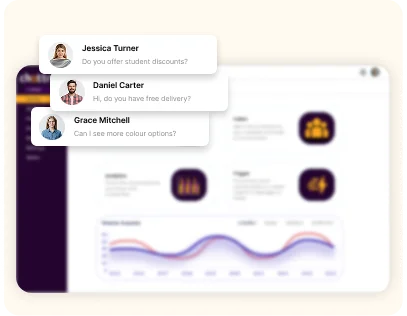
A customer dashboard layout overlayed with popup desktop notifications displaying incoming user chat messages.

Smarter Prioritization

Alerts highlight important conversations so agents can focus their attention where it’s needed most.

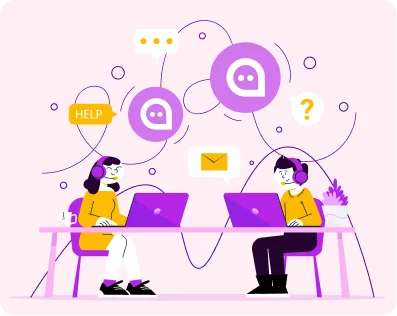
A flat illustration of two remote support agents wearing headsets and managing live customer service channels on laptops.

Team Responsiveness

Real-time sound cues keep your entire team aligned and ready to jump into action

Why Sounds & Notifications Are Essential

Smart sounds and real-time notifications keep agents alert and responsive, ensuring no message goes unnoticed. They help teams reply faster, stay focused across tabs, and deliver a smooth, reliable experience for every visitor.

Faster Responses Icon
Faster Responses

Immediate alerts ensure agents reply without delay.

Happier Customers Icon
Happier Customers

Faster responses deliver a smoother experience.

No Missed Message Icon
No Missed Messages

Smart alerts ensure no chat is overlooked.

Live Visitor Awareness Icon
Live Visitor Awareness

Alerts notify agents when new visitors arrive or re-engage.

Custom Preferences Icon
Custom Preferences

Agents tailor alerts to their workflow.

Better Team Sync Icon
Better Team Sync

Internal notifications help teams collaborate faster.

Work Across Tabs Icon
Work Across Tabs

Stay notified while working in other tabs.

Consistent Focus Icon
Consistent Focus

Timely alerts help maintain focus.

Frequently Asked Questions

Have questions? We’ve got answers. Here are the most common things people ask about Chattrik.

When you get a new chat or message from your customer.
In this manner, you make sure not to miss any customer communication.
Yes, the notification settings can be changed to your requirement.
Yes, notification can be turned off/ on whenever you need.
Yes, you will receive notifications for all upcoming queries.
Yes, you receive notifications as soon as there is a new chat so you can revert back to your customer quickly.
Yes, in the case of supported devices, the notification is visible on mobile as well.
No, all the chats have assigned team and agents which gets notified for any new message.
Yes, you can change your setting whenever you want.
Yes, as soon as there is a new message you’ll get an instant alert.
Yes, but there will be no immediate alert.
The faster you reply to your customer, the more you improvise your team response time and the better service they can provide.

Stay Connected to Every Conversation

Turn on sounds & notifications to ensure your team responds instantly and delivers a consistently exceptional customer experience.

WhatsApp Chat