How To Use Idle Timeout in Chattrik

Manage your availability with Chattrik’s idle timeout feature. Automatically update your status after inactivity, ensuring accurate presence and smoother communication with visitors and team members.

The Idle Timeout feature in Chattrik helps you control your online presence by automatically updating your status after a set period of inactivity. You can decide whether your status remains unchanged if chat windows are open or switch to Away or Invisible after a custom inactivity duration. This ensures that visitors and teammates always see your correct availability. With flexible options, you can balance responsiveness and control with ease.

Step 1: Log in to Your Dashboard
  • Log in to your Chattrik dashboard.
  • Navigate to Settings and select Personal from the menu.
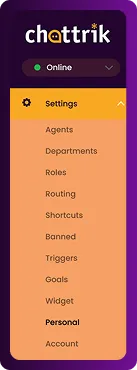
The Chattrik settings menu expanded to show options, highlighting the Personal tab.
Step 2: Open Idle Timeout Tab
  • Go to Personal → Idle Timeout.
  • This tab allows you to configure automatic status updates.
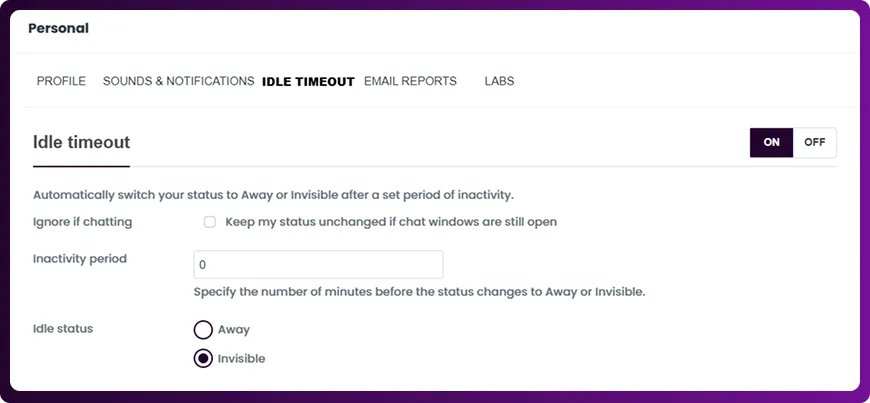
The Personal settings dashboard with the Idle Timeout navigation tab selected.
Step 3: Configure Timeout Preferences
  • Choose whether your status remains unchanged if chat windows are still open.
  • Set the inactivity period (in minutes) after which your status will change.
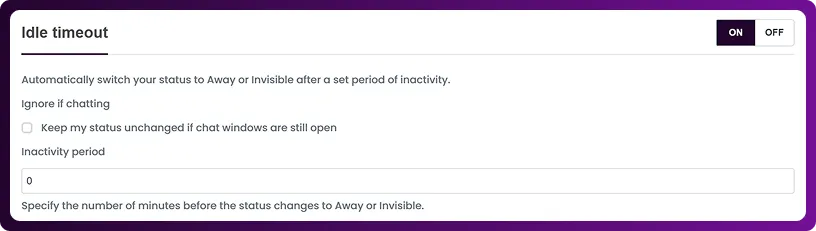
The Idle Timeout settings interface showing the inactivity period configuration section.
Step 4: Select Idle Status Type
  • Choose whether your idle status should change to Away or Invisible when the timeout is reached.
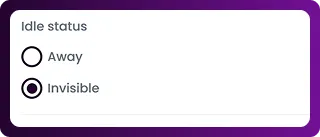
The Idle Status panel showing radio options to select either Away or Invisible.
Step 5: Save or Reset
  • Click Save Changes to apply your preferences.
  • To return to default settings, click Reset to Defaults.
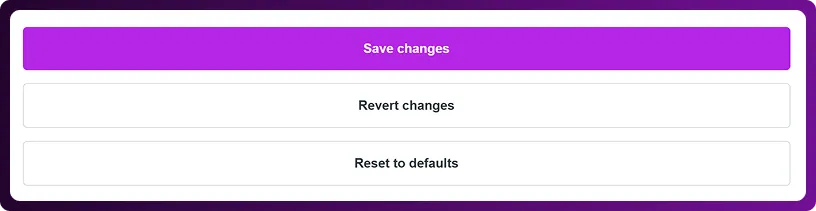
The bottom setting layout showing three control buttons: Save changes, Revert changes, and Reset to defaults.
Frequently Asked Questions

Have questions? We’ve got answers. Here are the most common things people ask about Chattrik.

It ensures your online status reflects your actual availability, even when inactive.

Yes, you can choose to leave your status unchanged if chat windows are still open.

Away shows limited availability, while Invisible hides your online status completely.

Yes, you can specify the number of minutes before your status changes automatically.

Your settings will return to Chattrik’s original idle timeout configuration.
WhatsApp Chat